splitforms.com

HTML · FORM CONTROL

HTML input type="reset": Reset Button for Forms

Last reviewed

The <input type="reset"> element is a button that resets its form: every control goes back to the value, checked or selected state written in the HTML, not to an empty field. Its value attribute is the label. It sends no data, and most forms are better off without one.

  • Live, editable example
  • Copy-paste snippet
  • Attributes & common mistakes
Live demo · nothing is sent

What gets submitted

Fill in the form above and press its button. The demo stops the request and lists every name=value pair the browser would send, plus the controls it leaves out.

With a free access key in the form, these fields land in your splitforms dashboard; access_key and botcheck are read by splitforms, not stored as lead data.

Edit the HTML and re-run it
Runs in a sandbox. Nothing is sent.

Minimal snippet

input-type-reset-example.html
<form>
  <input type="text" name="name" value="Jane">
  <input type="reset" value="Reset">
</form>
<!-- Type "Bob", click Reset: the field shows "Jane" again, not blank -->

Copy-paste code

<input type="reset"> code you can paste today.

Replace YOUR_ACCESS_KEY with a key from your free splitforms dashboard. The form posts to one endpoint — submissions land in your inbox and dashboard with spam filtering built in.

Get free access key
input-type-reset.html
<form action="https://splitforms.com/api/submit" method="POST">
  <input type="hidden" name="access_key" value="YOUR_ACCESS_KEY">

  <label for="name">Name</label>
  <input type="text" id="name" name="name" value="Jane" autocomplete="name" required>

  <label for="plan">Plan</label>
  <select id="plan" name="plan">
    <option value="free">Free</option>
    <option value="pro" selected>Pro</option>
  </select>

  <label>
    <input type="checkbox" name="newsletter" value="yes" checked>
    Send me product news
  </label>

  <!-- Honeypot: hidden from people, bots fill it in -->
  <input type="checkbox" name="botcheck" style="display:none" tabindex="-1" autocomplete="off">

  <button type="submit">Save</button>
  <!-- Restores "Jane", "Pro" and the ticked box: the HTML defaults -->
  <input type="reset" value="Undo my changes">
</form>

Behaviour

What does a reset button restore?

Reset puts every control back to its **default**, which is the state written in the HTML attributes. A field with value="Jane" shows Jane again after reset; it only becomes empty if the HTML had no value. To clear fields, set them to empty in JavaScript instead.

What does a reset button restore?
ControlAfter reset it shows
<input type="text" value="Jane">Jane (the value attribute), even if the user typed something else
<input type="text"> with no valueAn empty field
Checkbox or radioTicked only if the HTML has checked
<select>The option with selected, or the first option if none has it
<textarea>The text between the opening and closing tags
<input type="file">No file selected
<input type="hidden">Unchanged: setting .value on a hidden input rewrites its value attribute, so there is no older default to go back to

Sources: WHATWG HTML Standard: resetting a form · MDN: <input type="reset">

Comparison

What is the difference between input type=reset and button type=reset?

Both reset the form and neither sends data. An <input type="reset"> is a void element whose label is the plain-text value; a <button type="reset"> can hold HTML such as an icon and a span. See the full HTML button reference.

What is the difference between input type=reset and button type=reset?
Topic<input type="reset"><button type="reset">
LabelThe value attribute; a browser default such as "Reset" if missingThe content between the tags
Content allowedPlain text onlyText, icons and other phrasing HTML
Sends dataNo, never part of the form dataNo, never part of the form data
Outside the formYes, with the form attributeYes, with the form attribute

Sources: WHATWG HTML Standard: Reset Button state · MDN: <button>

Attributes · <input type="reset">

Which attributes does input type=reset support?

Only a few matter: value for the label, form to reset a form from outside it, and disabled.

<input type="reset"> attributes and what each one does
AttributeWhat it doesDocs
valueThe visible label. Without it the browser shows its own default text, such as "Reset". Never sent with the form.MDN
formThe id of the <form> to reset, so the button can sit outside it; see [form attribute](/html/form-attribute).MDN
disabledBoolean. Greys out the button so clicking it does nothing.MDN

Common mistakes

input type=reset mistakes to avoid

Expecting blank fields, putting reset next to submit, and resetting the DOM but not the state.

  1. Reset does not mean clear

    Fields go back to their HTML defaults. A field rendered with value="Jane" shows Jane again. To empty fields, set each .value = "" (and .checked = false) in JavaScript, or render the form without default values.

  2. Most forms should not have a reset button

    Users click reset by mistake, often because it sits next to submit and looks alike, and lose everything they typed with no undo. Leave it out of contact and checkout forms. If you need one, make it look secondary, place it away from submit, ask for confirmation in the reset event, or offer a per-field clear button instead.

  3. Hidden inputs keep their JavaScript value

    On <input type="hidden">, setting .value rewrites the value attribute itself, so reset has nothing older to restore. Reset hidden fields yourself in the reset event if you changed them.

  4. Controlled React inputs are not reset

    The reset button changes the DOM while React state keeps the old values. Reset the state in onReset, or call your form library's reset().

Sources: WHATWG HTML Standard: Reset Button state · MDN: <input type="reset">

reset event

How do I run code on reset or reset a form from JavaScript?

Clicking a reset button fires a cancelable reset event on the form before anything changes; call event.preventDefault() to stop it, for example after a confirm prompt. form.reset() does the same reset from code and also fires the reset event. To empty a form after it was sent, see reset a form after submit.

form.reset() restores the HTML defaults. If a field had value="Jane", it shows Jane again.

reset-event.js
const form = document.querySelector("form");

// Runs for the reset button AND for form.reset()
form.addEventListener("reset", (event) => {
  if (!confirm("Discard your changes?")) {
    event.preventDefault(); // keep what the user typed
  }
});

// Reset from code, for example after a successful fetch()
form.reset();

React

Why does a reset button not reset my React form?

A reset button changes the DOM, not your component state. With controlled inputs (value plus onChange) the state still holds the old values, so the next render shows them again or the two get out of sync. Reset the state yourself in an onReset handler. With React Hook Form, call its own reset(); see React Hook Form reset.

ResetForm.jsx
const initial = { name: "", email: "" };

function ContactForm() {
  const [values, setValues] = useState(initial);

  return (
    <form onReset={() => setValues(initial)}>
      <input
        name="name"
        value={values.name}
        onChange={(e) => setValues({ ...values, name: e.target.value })}
      />
      <button type="reset">Clear</button>
    </form>
  );
}

form attribute

Can a reset button sit outside the form?

Yes. Give the form an id and point the button's form attribute at it. The button then resets that form from anywhere on the page, such as a toolbar. See the form attribute reference.

reset-outside-form.html
<form id="filters">
  <input type="search" name="q">
  <label><input type="checkbox" name="in_stock" checked> In stock</label>
</form>

<!-- Elsewhere on the page -->
<input type="reset" form="filters" value="Reset filters">

Copy-paste ready

The <input type="reset"> example below is a complete, working form — paste it into any HTML page and it submits, no edits to the markup required.

No backend to build

Your <input type="reset"> form posts to one endpoint. No server, PHP, or API route — accepted submissions are saved to your dashboard before owner notification email is attempted; delivery time and inbox placement depend on provider and recipient settings.

A form that really submits

Unlike a static reference snippet, this <input type="reset"> form actually sends data to a free splitforms backend, with spam filtering built in.

How it works

How to add <input type="reset"> to any page.

Copy the <input type="reset"> example, drop in your free access key, and paste it into any page — submissions start landing in your dashboard.

Copy the code

Copy the <input type="reset"> example below.

Add your access key

Replace YOUR_ACCESS_KEY with a free splitforms key from the dashboard.

Paste into your site

Drop the form into any HTML page. Submissions arrive in your dashboard.

How SplitForms works

What happens after someone submits your form?

splitforms receives the submission, filters spam, saves it to your dashboard and emails you — then, on paid plans, sends it on to your webhooks and integrations. No backend infrastructure to build.

A SplitForms contact form submission launching straight to your inbox

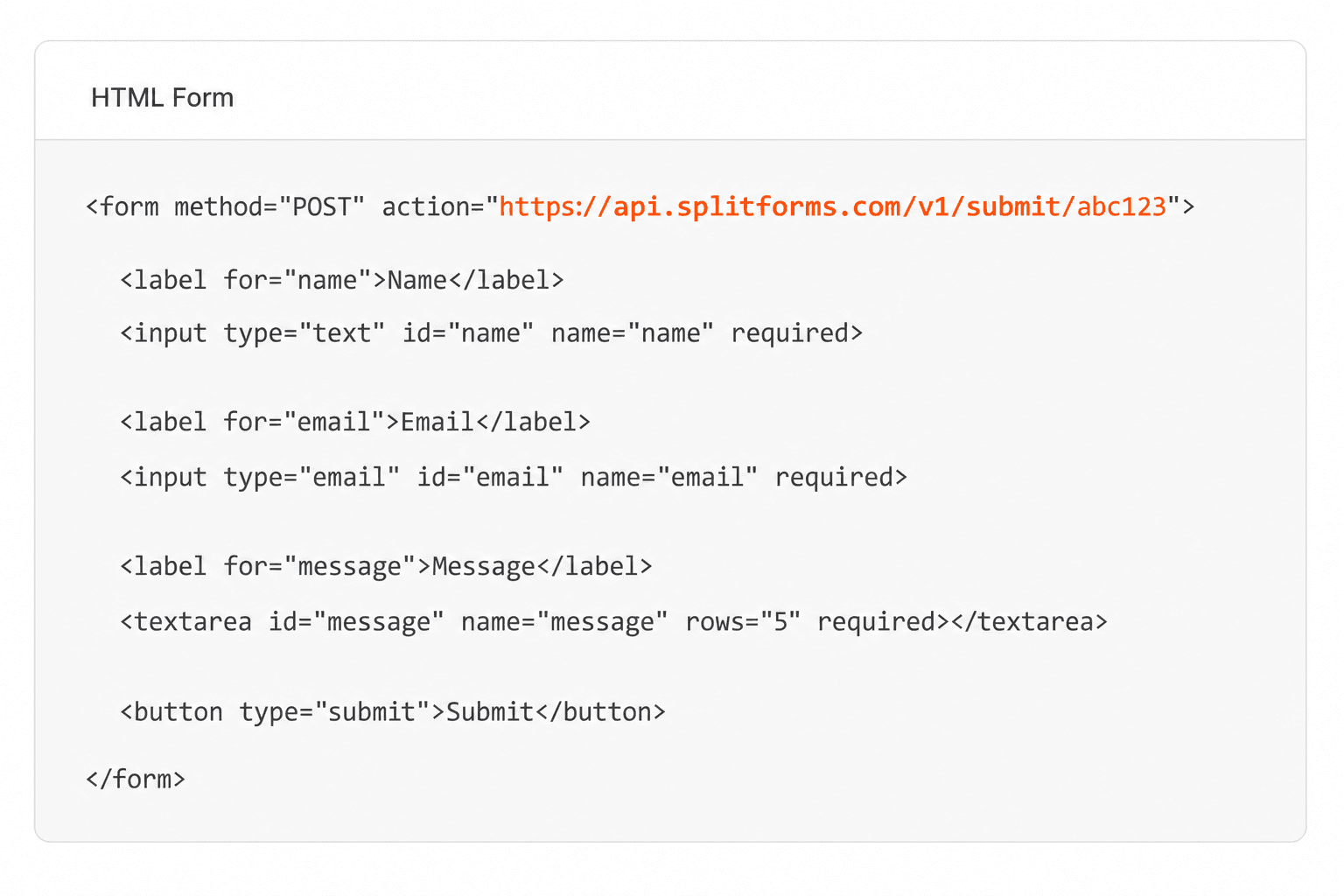
Add your endpoint

Point your form to your unique SplitForms endpoint. That's it.

HTML form pointing at a SplitForms submit endpoint

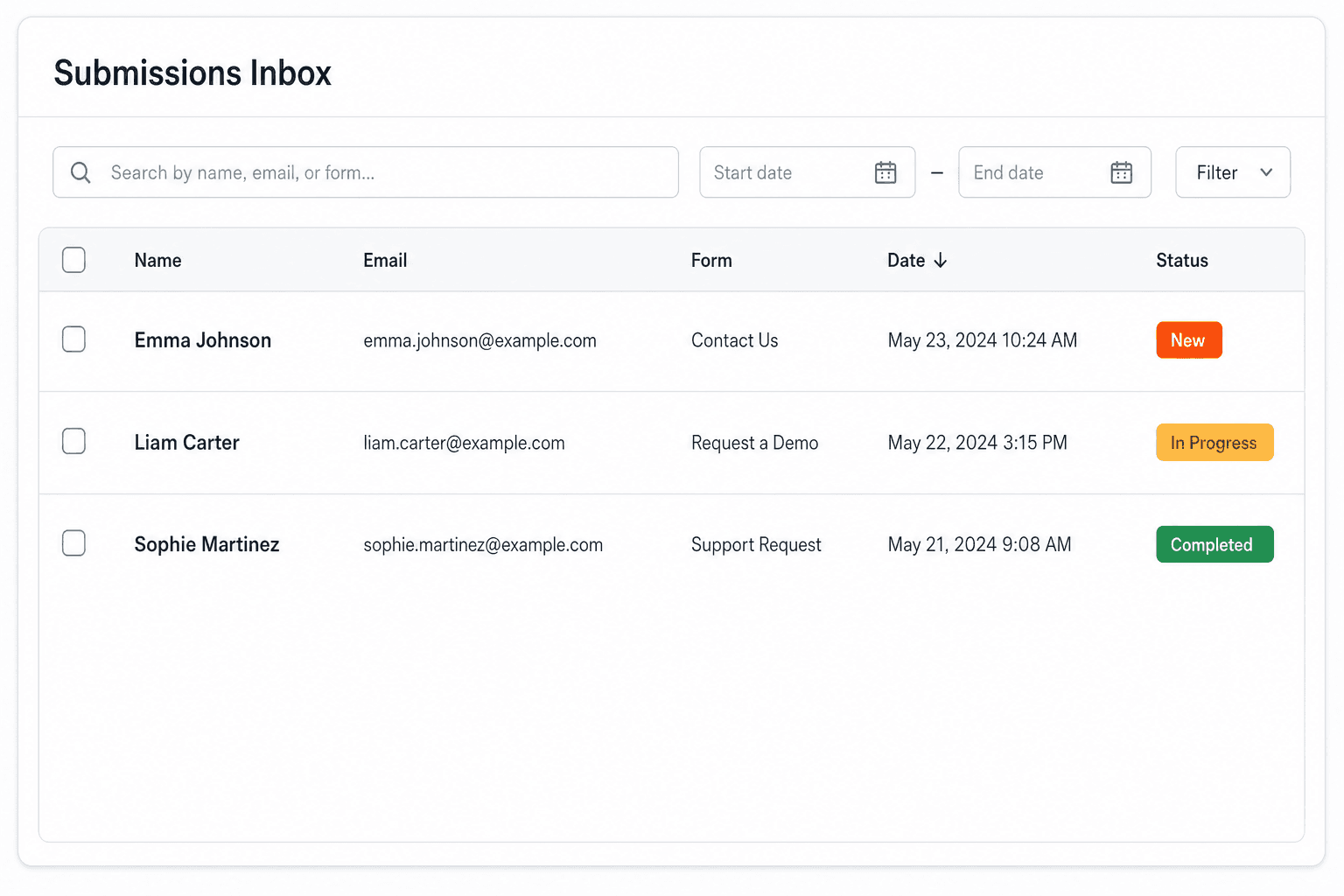
Receive submissions

We instantly capture and organize every submission in your inbox.

Submissions inbox with searchable leads and status pills

Route anywhere

Send data to email, spreadsheets, CRMs, webhooks, and 7,000+ apps.

Generic integration tiles for email, sheets, chat, CRM, automate, and webhook

No credit card required. Set up in under 60 seconds.

Connect & automate

Where can submissions go besides email?

On paid plans, submissions can also go to Slack, Discord, Google Sheets, Notion, Airtable, Zapier or any signed webhook — and splitforms works on the platforms you build on, from WordPress and Shopify to Next.js. With Stripe connected, your forms can take payments too.

Connect your SplitForms form to Slack, Google Sheets, Mailchimp, Zapier and more
NewTake payments on your formsDeposits, bookings, order forms — submitters check out through Stripe and the money goes straight to your Stripe account. Included on every paid plan.See payment forms →Need time slots? Online booking →

Setup guides for the stacks you use

Questions

<input type="reset"> questions, answered.

View all FAQs
Why doesn't my reset button clear the fields?

Because reset restores the default values from the HTML, not empty ones. If a field was rendered with value="Jane" (common when a server fills in saved data), reset puts Jane back. To clear the form, set each field's value to an empty string in JavaScript.

What is the difference between input type=reset and button type=reset?

They do the same job. The input version is a void element whose label comes from its value attribute; the button version can hold HTML such as an icon between its tags. Neither sends any data when the form is submitted.

How do I reset a form with JavaScript?

Call form.reset(). It restores every control to its HTML default and fires the form's reset event, the same as clicking a reset button. Listen for that event to run extra code or call preventDefault() to cancel it.

Should I add a reset button to my form?

Usually not. People click it by accident and lose what they typed, and there is no undo. Keep forms short instead, and if you do need a reset, style it as a secondary action away from the submit button and confirm before it runs.

Why does the reset button not work in React?

With controlled inputs the values live in React state, and the reset button only changes the DOM. Add an onReset handler on the form that sets the state back to its initial values, or call reset() from React Hook Form.

Simple pricing

How much does splitforms cost?

Free gives you 500 submissions for $0 — no card, no time limit. Pro is $5/month for 5,000 submissions a month, and Annual is $49/year for 15,000 a month with every Pro feature.

Free

$0— 500 submissions
 

No card, no time limit

Best for testing

For side projects and indie devs.

  • 500 free submissions
  • Unlimited forms
  • Email notifications included
  • Smart spam filtering
  • Submissions dashboard
  • Redirect after submit
  • MCP server included

Annual

$49/ year
About $4.08 per month, billed yearly
Best value

Every Pro feature with triple the volume — $0.27 per 1,000 at full use.

  • 15,000 submissions per month
  • Unlimited forms
  • Everything in Pro
  • File uploads with 5 GB storage
  • 3 team seats
  • Priority email support

No credit card required on Free • Cancel anytime • Full pricing and FAQ