splitforms.com

HTML · FORM CONTROL

HTML input type="image": Image Submit Buttons

Last reviewed

The <input type="image"> element is a submit button drawn from an image file. `src` and `alt` are required for a usable control. Clicking it submits the parent form and, when the input has a `name`, sends the click position as two fields: `name.x` and `name.y` (pixel offsets from the top-left of the image). There is no `value` attribute and no single `name=value` pair for the button itself in typical browsers.

  • Live, editable example
  • Copy-paste snippet
  • Attributes & common mistakes
Live demo · nothing is sent

What gets submitted

Fill in the form above and press its button. The demo stops the request and lists every name=value pair the browser would send, plus the controls it leaves out.

With a free access key in the form, these fields land in your splitforms dashboard; access_key and botcheck are read by splitforms, not stored as lead data.

Edit the HTML and re-run it
Runs in a sandbox. Nothing is sent.

Minimal snippet

input-type-image-example.html
<input type="image" src="/send.svg" alt="Send message" width="120" height="40">

Copy-paste code

HTML Input Type Image code you can paste today.

Replace YOUR_ACCESS_KEY with a key from your free splitforms dashboard. The form posts to one endpoint — submissions land in your inbox and dashboard with spam filtering built in.

Get free access key
input-type-image.html
<form action="https://splitforms.com/api/submit" method="POST">
  <input type="hidden" name="access_key" value="YOUR_ACCESS_KEY">

  <label for="message">Message</label>
  <textarea id="message" name="message" rows="4" required></textarea>

  <!-- Honeypot: hidden from people, bots fill it in -->
  <input type="checkbox" name="botcheck" style="display:none" tabindex="-1" autocomplete="off">

  <!-- Click sends submit.x and submit.y (and the other fields) -->
  <input type="image" name="submit" src="/send.svg" alt="Send message" width="120" height="40">
</form>

Form data

What does input type=image send when the form is submitted?

The browser submits the form like any other submit control. If the image input has a name, the activator adds **two** entries: name.x and name.y with the click coordinates in CSS pixels, (0,0) at the top-left of the image. Most browsers do **not** also send a plain name=value pair for the image button itself because image inputs do not use the value attribute.

What does input type=image send when the form is submitted?
SituationWhat the server receives
User clicks at (48, 12) on name="submit"submit.x=48 and submit.y=12 plus every other named field
Form submitted without a click on the image (Enter in a text field)Coordinates default to 0 and 0 for that image submitter when it is treated as the submit button
Image input has no nameOnly the other fields; no coordinate pair
JavaScript form.submit()No submit-button data at all; use form.requestSubmit(imageInput) to include coordinates
GET methodSame keys appended to the query string, for example ?submit.x=48&submit.y=12

Sources: WHATWG HTML Standard: Image Button state · MDN: <input type="image">

Server code

How do I read image submit coordinates in PHP, Node or Python?

Read the dotted pair your framework exposes. PHP converts dots in field names to underscores in $_POST, so name="submit" becomes $_POST['submit_x'] and $_POST['submit_y']. Express with express.urlencoded() puts submit.x and submit.y on req.body. Flask reads request.form.get('submit.x') and request.form.get('submit.y').

How do I read image submit coordinates in PHP, Node or Python?
StackExample
PHP$x = (int) ($_POST['submit_x'] ?? 0); $y = (int) ($_POST['submit_y'] ?? 0); for name="submit"
Expressconst { 'submit.x': x, 'submit.y': y } = req.body;
Flaskx = request.form.get('submit.x', type=int) and the same for submit.y
JavaScript (preview)On submit, event.submitter is the image input; coordinates are already in FormData as submit.x / submit.y

Sources: PHP: POST variables with dots · MDN: Using the x and y data points

Comparison

input type=image vs button type=submit with an img inside

Both can show a picture and submit a form. <button type="submit"><img alt="Send"></button> is what most teams ship today: one focusable button, clearer semantics, and no coordinate noise. Reserve <input type="image"> for rare cases where the click position on the graphic matters (for example a simple image map vote).

input type=image vs button type=submit with an img inside
Topic<input type="image"><button type="submit"><img alt="…"></button>
Recommended defaultLegacy / special coordinate usePreferred for icon and image submit buttons
Submitted dataname.x and name.y; no button valueOptional name/value on the button; no x/y unless you add JavaScript
Accessible nameFrom required alt on the inputFrom alt on the <img> plus button text if any
StylingReplaced element sized by width/height and CSS on the inputStyle the <button>; size the <img> inside
form* overridesSupports formaction, formmethod, etc.Same attributes on the <button>

Sources: MDN: <input type="image"> · MDN: <button>

Attributes · <input type="image">

Which attributes does input type=image support?

src and alt define the graphic; name prefixes the x/y pair; the form* attributes override the parent form for this one control.

HTML Input Type Image attributes and what each one does
AttributeWhat it doesDocs
srcRequired. URL of the image drawn on the submit control (PNG, SVG, WebP, etc.). Without a valid src, the control cannot render as intended.MDN
altRequired for accessibility. Alternate text used as the control's accessible name and shown when the image cannot be displayed, so users still get a labelled submit control instead of a broken-image icon with no context.MDN
widthWidth of the image in CSS pixels. Pairs with height to reserve layout space; only one dimension may be set and the browser keeps aspect ratio.MDN
heightHeight of the image in CSS pixels.MDN
namePrefix for the coordinate pair sent on click: name="submit" → submit.x and submit.y. Without name, the form still submits but the server gets no click position.MDN
formactionOverrides the parent form's action URL when this image submits. Same behaviour as on <input type="submit">; see [formaction](/html/formaction).MDN
formenctypeEncoding for POST bodies (application/x-www-form-urlencoded, multipart/form-data, …). Overrides the form's enctype for submits from this control.MDN
formmethodget or post. Overrides the form's method when this input submits.MDN
formnovalidateBoolean. Skips constraint validation when this image input submits the form.MDN
formtargetBrowsing context for the response (_blank, _self, …). Overrides the form's target for this submit.MDN

Common mistakes

input type=image mistakes to avoid

Missing alt, expecting a value pair, and forgetting PHP's dot-to-underscore mapping.

  1. There is no value attribute

    Image inputs reject value. Do not look for submit=Send in the POST body; read submit.x and submit.y (or submit_x / submit_y in PHP) instead.

  2. alt is the accessible name

    Screen readers announce the alt text as the button label. Match the words you would put on a text submit button, such as alt="Send message", instead of describing the artwork.

  3. With alt set, a failed image still submits

    If the file 404s or images are off, browsers show the alt text on the control rather than an empty broken-image tile, so people can still activate submit when alt is meaningful.

  4. Style the replaced input, not the bits inside

    The control is a replaced element sized by width, height, and CSS such as object-fit, object-position, :hover, and :focus-visible. You cannot put HTML inside the tag; use <button type="submit"> when you need nested icons and spans.

  5. Coordinates follow the image box

    x and y are measured from the top-left of the rendered image box (after CSS sizing), not from the whole page. Use them only when that click position on the graphic is part of your design.

Sources: WHATWG HTML Standard: Image Button state · MDN: <input type="image">
Copy-paste ready

The HTML Input Type Image example below is a complete, working form — paste it into any HTML page and it submits, no edits to the markup required.

No backend to build

Your html input type image form posts to one endpoint. No server, PHP, or API route — accepted submissions are saved to your dashboard before owner notification email is attempted; delivery time and inbox placement depend on provider and recipient settings.

A form that really submits

Unlike a static reference snippet, this <input type="image"> form actually sends data to a free splitforms backend, with spam filtering built in.

How it works

How to add HTML Input Type Image to any page.

Copy the html input type image example, drop in your free access key, and paste it into any page — submissions start landing in your dashboard.

Copy the code

Copy the HTML Input Type Image example below.

Add your access key

Replace YOUR_ACCESS_KEY with a free splitforms key from the dashboard.

Paste into your site

Drop the form into any HTML page. Submissions arrive in your dashboard.

How SplitForms works

What happens after someone submits your form?

splitforms receives the submission, filters spam, saves it to your dashboard and emails you — then, on paid plans, sends it on to your webhooks and integrations. No backend infrastructure to build.

A SplitForms contact form submission launching straight to your inbox

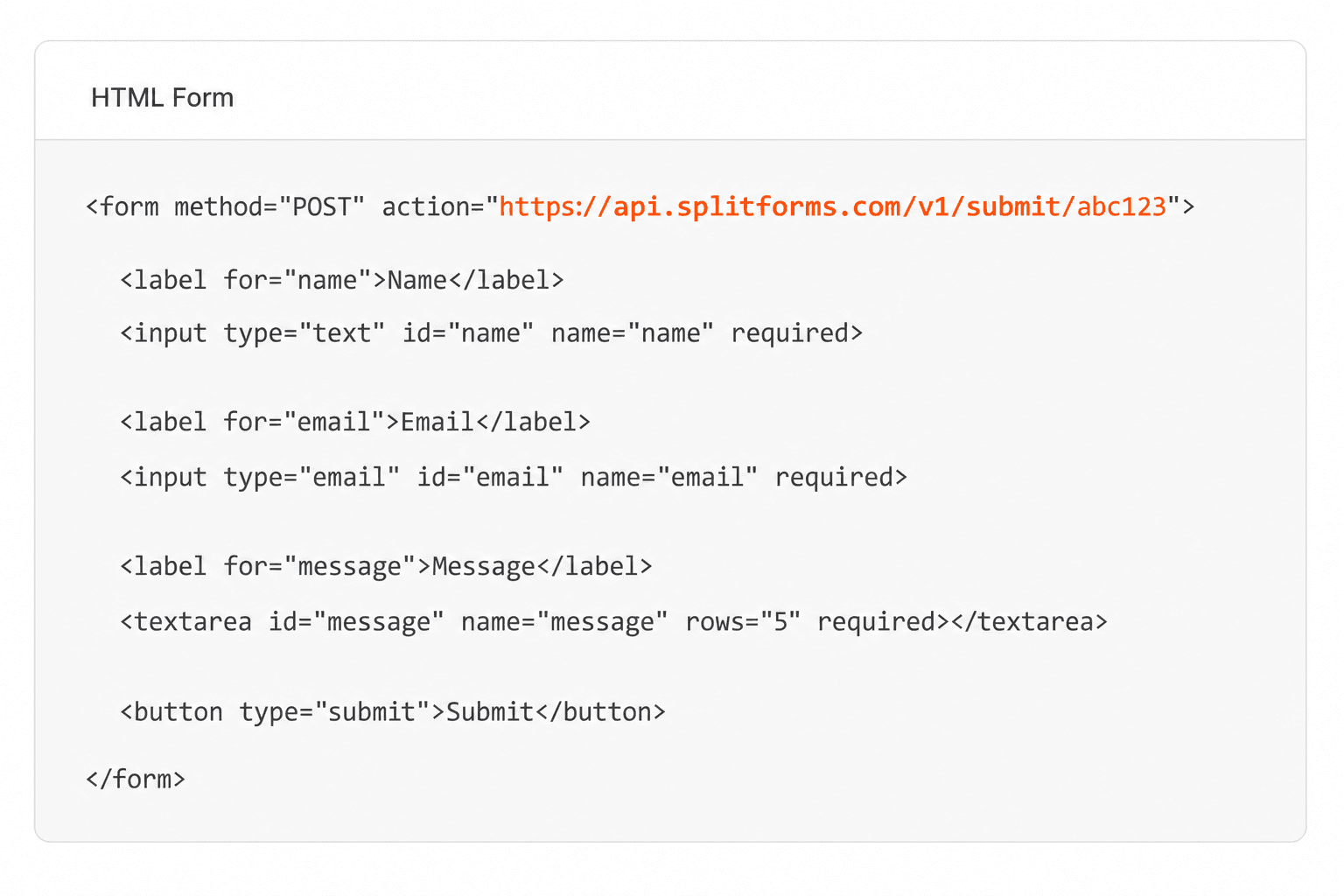
Add your endpoint

Point your form to your unique SplitForms endpoint. That's it.

HTML form pointing at a SplitForms submit endpoint

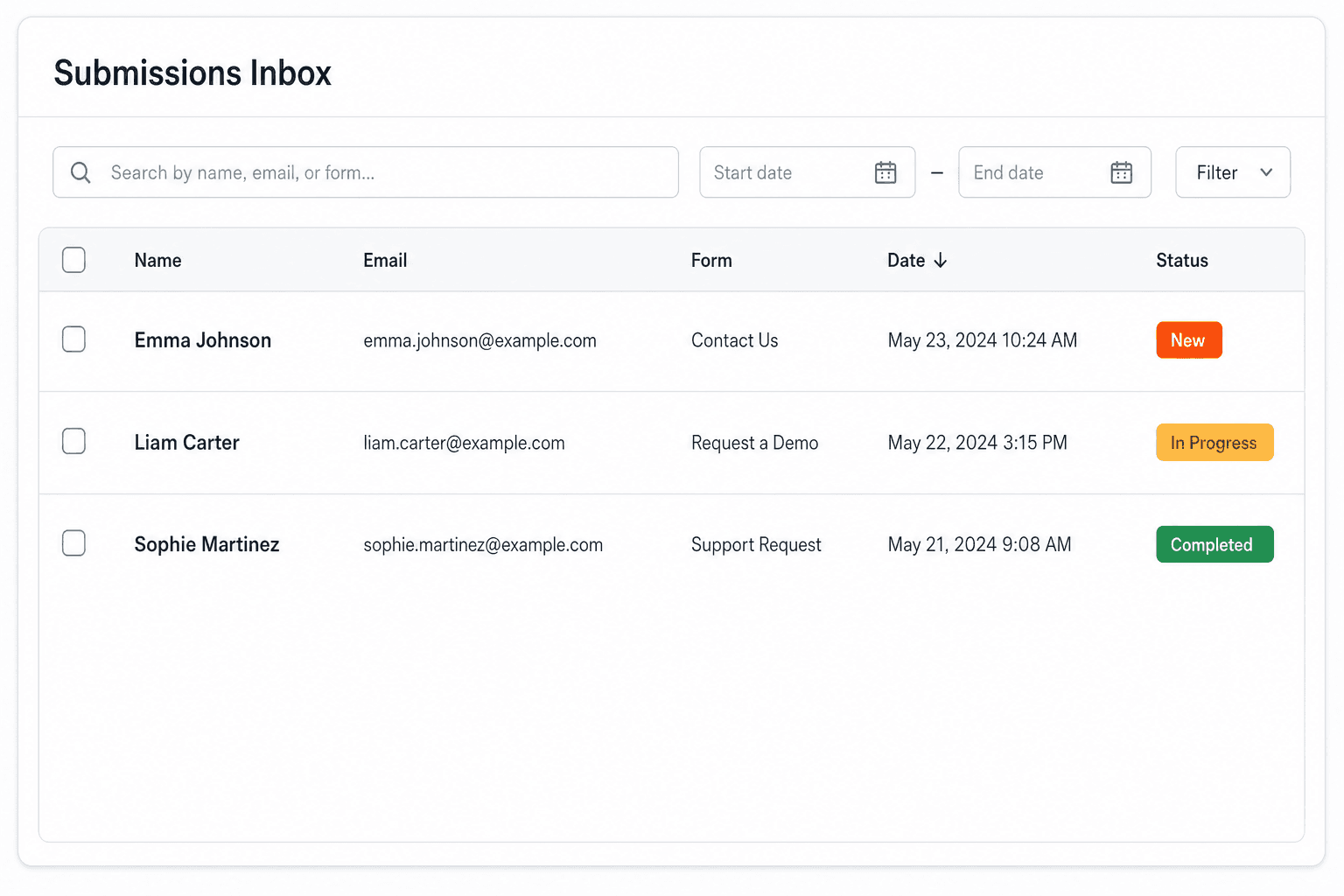
Receive submissions

We instantly capture and organize every submission in your inbox.

Submissions inbox with searchable leads and status pills

Route anywhere

Send data to email, spreadsheets, CRMs, webhooks, and 7,000+ apps.

Generic integration tiles for email, sheets, chat, CRM, automate, and webhook

No credit card required. Set up in under 60 seconds.

Connect & automate

Where can submissions go besides email?

On paid plans, submissions can also go to Slack, Discord, Google Sheets, Notion, Airtable, Zapier or any signed webhook — and splitforms works on the platforms you build on, from WordPress and Shopify to Next.js. With Stripe connected, your forms can take payments too.

Connect your SplitForms form to Slack, Google Sheets, Mailchimp, Zapier and more
NewTake payments on your formsDeposits, bookings, order forms — submitters check out through Stripe and the money goes straight to your Stripe account. Included on every paid plan.See payment forms →Need time slots? Online booking →

Setup guides for the stacks you use

Questions

HTML Input Type Image questions, answered.

View all FAQs
Does input type=image submit the form?

Yes. It is a submit control. Clicking the image runs validation (unless formnovalidate applies), then sends the form to the action URL with the same fields as `<input type="submit">`, plus the x/y pair when the input has a name.

Why is my $_POST missing the image button?

PHP never receives a single submit key for an image input. Look for `submit_x` and `submit_y` (underscores) when the HTML name is submit, or enable logging of the raw body. Also check that the user actually clicked the image; Enter-key submits may send 0,0 coordinates rather than omitting the pair.

How do I get the click value from an image submit button?

Read the coordinate pair, not a value string. In PHP use (int) $_POST['name_x'] and name_y; in Express read req.body['name.x']; in Flask use request.form.get('name.x'). Parse both numbers server-side.

Can I use an SVG for input type=image?

Yes, if you point src at an SVG URL the browser can render (same as img). Keep a descriptive alt, set width and height so layout does not shift, and test contrast for :focus-visible outlines on the input.

Is input type=image accessible?

It can be, when alt is a real action label (Send message, Search). The control exposes an implicit button role. For most UIs, `<button type="submit"><img alt="Send message" src="…"></button>` is easier to style and avoids surprising x/y fields in your logs.

Do formaction and formmethod work on image inputs?

Yes. formaction, formmethod, formenctype, formtarget and formnovalidate override the parent form for submits from that image, the same as on `<input type="submit">` and `<button type="submit">`. See the [formaction](/html/formaction) reference.

Simple pricing

How much does splitforms cost?

Free gives you 500 submissions for $0 — no card, no time limit. Pro is $5/month for 5,000 submissions a month, and Annual is $49/year for 15,000 a month with every Pro feature.

Free

$0— 500 submissions
 

No card, no time limit

Best for testing

For side projects and indie devs.

  • 500 free submissions
  • Unlimited forms
  • Email notifications included
  • Smart spam filtering
  • Submissions dashboard
  • Redirect after submit
  • MCP server included

Annual

$49/ year
About $4.08 per month, billed yearly
Best value

Every Pro feature with triple the volume — $0.27 per 1,000 at full use.

  • 15,000 submissions per month
  • Unlimited forms
  • Everything in Pro
  • File uploads with 5 GB storage
  • 3 team seats
  • Priority email support

No credit card required on Free • Cancel anytime • Full pricing and FAQ