
15 integrations · 7 categories
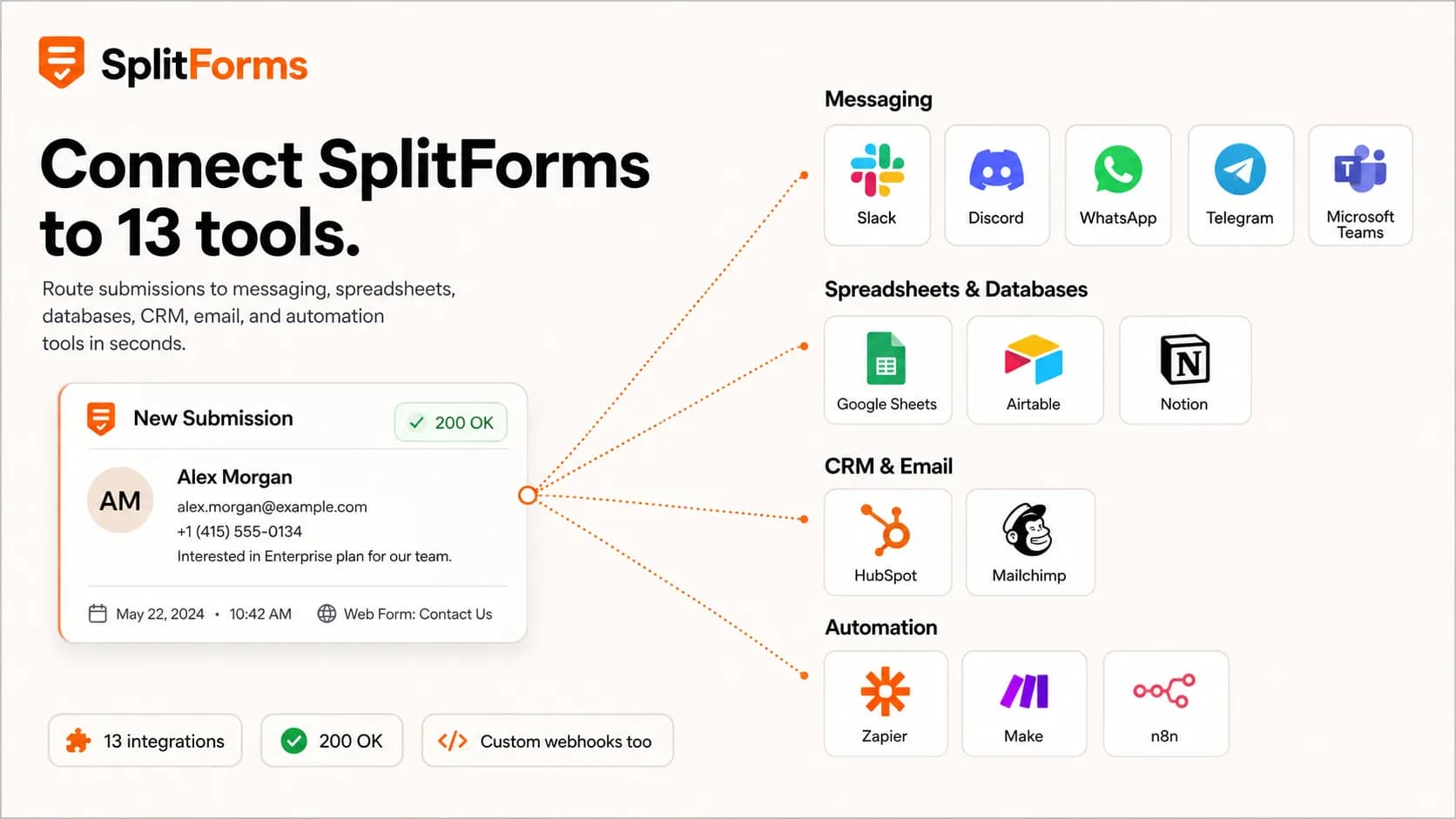
Form integrations — send submissions to Slack, Sheets, Notion & 12 more.
Pipe form submissions into the tools your team already uses. Native Slack and Discord formatting, generic outbound webhooks for everything else, and Zapier or Make as the universal glue. Webhooks and integrations unlock on Pro at $5/month; the Free plan (500 submissions total, no credit card) covers dashboard capture and email notifications.
Beyond the free plan, Pro is $5/mo for 5,000 submissions and a 3-year plan is $59 for 15,000/month. Compare plans.
Directory
Every integration, in one place.
Slack
messagingSend form submissions to Slack in real time.
View setupDiscord
messagingSend form submissions to Discord instantly.
View setupSend form submissions to WhatsApp as lead alerts.
View setupTelegram
messagingSend form submissions to Telegram as bot messages.
View setupGoogle Chat
messagingSend form submissions to a Google Chat space.
View setupMicrosoft Teams
messagingSend form submissions to Microsoft Teams channels.
View setupGoogle Sheets
spreadsheetsSend form submissions to Google Sheets as rows.
View setupGoogle Drive
storageCopy every form file upload into a Drive folder you own.
View setupAirtable
databaseSend form submissions to Airtable as records.
View setupNotion
databaseSend form submissions to Notion as pages.
View setupHubSpot
crmSend form submissions to HubSpot as contacts.
View setupMailchimp
emailMailchimp form integration for audience and email events.
View setupZapier
automationSend form submissions to Zapier to trigger workflows.
View setupn8n
automationSend form submissions to n8n's self-hosted workflows.
View setupMake
automationSend form submissions to Make to trigger scenarios.
View setupAny other tool
webhookEvery submission can POST to any URL you control. Wire up anything with a signed outbound webhook.
Form to webhookHow it works
How splitforms integrations work.
Two delivery modes, deliberately small surface area. We'd rather ship two reliable mechanisms than ten flaky “native” integrations that break every six months.
Slack and Discord webhook URLs are auto-detected by host. splitforms switches the payload to that platform's native format — Slack Block Kit or Discord rich embed — with field labels and values laid out for the message UI. Zapier and Make webhooks fall in this same bucket because their generic catch-hooks accept splitforms' default payload as-is.
For Sheets, Notion, Airtable, HubSpot, and Telegram, splitforms POSTs the submission to a small HTTP endpoint you control (a Cloudflare Worker, Vercel function, or any small service). That relay shapes the payload into the destination's API. The relays in our deep-dive guides are typically 15-25 lines each.
Regardless of which webhooks fire or fail, every submission also lands in the email recipients you configured plus the splitforms dashboard. If a delivery fails, its HTTP status is recorded on the webhook so you can spot and fix it — but because storage and email run independently, no webhook outage ever costs you the lead.
<form action="https://splitforms.com/api/submit" method="POST">
  <input type="hidden" name="access_key" value="YOUR_KEY" />
  <input type="email" name="email" required />
  <textarea name="message" required></textarea>
  <button type="submit">Send</button>
</form>
Configure webhooks per-form in the splitforms dashboard — the form markup stays exactly the same regardless of which destinations you wire up. New to webhooks? Start with the form-to-webhook guide.
Questions
Frequently asked questions.
How do splitforms integrations work?
splitforms ships outbound webhooks: every form submission can POST to one or more URLs you configure. For Slack and Discord, splitforms detects the host and switches to that platform's native message format automatically. For other destinations (Sheets, Notion, Airtable, HubSpot), you either point the webhook at a small relay (a Cloudflare Worker, Vercel function, or any HTTP endpoint) or wire it through Zapier or Make. Email delivery happens regardless, so submissions are never lost if a webhook fails.
Do integrations cost extra?
Yes. Outbound webhooks — including native Slack and Discord formatting — start on Pro at $5/month, which includes 5,000 submissions per month and unlimited forms. The $59 3-year plan (15,000 submissions per month) raises the volume without adding an enterprise-tier integration paywall. Zapier and Make have their own pricing on top.
Which integrations are 'native' versus webhook-based?
Native (auto-detected and formatted by splitforms): Slack, Discord, Zapier (Webhooks by Zapier), Make (Custom webhook). Webhook-based (you point a webhook at the destination's API or at a tiny relay): Google Sheets, Airtable, Notion, HubSpot, Microsoft Teams, Telegram. Each integration page below is honest about which category it falls into.
Can I send the same submission to multiple destinations?
Yes. Each form in splitforms supports multiple webhook URLs. Add a Slack URL and a Sheets relay and a Zapier URL — they're POSTed independently, so a problem with one does not affect the others. Email delivery still happens in parallel.
What happens if a webhook destination is down?
Each webhook delivery is a POST with an 8-second timeout, and a delivery that fails with a network error, timeout, or 5xx is automatically retried once after a short pause (4xx is not retried — the endpoint understood and refused). The final status and error are recorded on the webhook so you can spot a broken endpoint, and the submission still lands in your dashboard and email regardless of webhook outcome — no outage costs you the lead.
Is there a native HubSpot or Salesforce CRM integration?
Today, no — splitforms reaches HubSpot and Salesforce via outbound webhooks plus a small relay (or via Zapier or Make). One-click OAuth connectors for the major CRMs are on the roadmap; the webhook-relay route is reliable in production today and works on paid plans.
Are webhook URLs stored securely?
Yes. Webhook URLs (which can contain bot tokens or auth secrets) are encrypted at rest in the splitforms database and are not displayed in full in the dashboard after configuration. Each request is also signed with an HMAC header so your relay can verify the request actually came from splitforms.
How does this compare to Formspree or Web3Forms?
Formspree documents webhooks on Professional and Business plans. Web3Forms lists webhooks, Google Sheets, Slack, Discord, and Telegram on paid plans. splitforms starts signed webhooks and its integration routes on Pro at $5/month; each integration page states whether the destination is native or webhook-based.
Get started
Ship a form, route it anywhere.
Route every submission wherever your team already works — messaging, spreadsheets, CRM, databases, and automation tools — all configured from the dashboard. Start free with 500 submissions total, no credit card required.