
Install and connect
Install splitforms from the WordPress.org plugin directory. The setup wizard opens on activation: click Connect to splitforms, sign in with Google or email, and approve the site.
WordPress contact form
Updated · plan facts checked against /pricing
A WordPress contact form collects visitor messages from a page or post and delivers them to you. The free splitforms plugin adds one with a setup wizard and a block, shortcode or Elementor widget. Already on Contact Form 7, WPForms, Fluent Forms, Gravity Forms or Ninja Forms? Keep it, and splitforms saves a copy of every entry — no SMTP plugin needed.
or search "splitforms" in Plugins > Add New. Download the ZIP only if your host blocks the plugin directory.

wp_mail() stays untouched — hosted SPF/DKIM-aligned delivery means no WP Mail SMTP plugin to configure.
A honeypot, time-trap, IP rate limiting, and content heuristics block bots server-side on every submission.
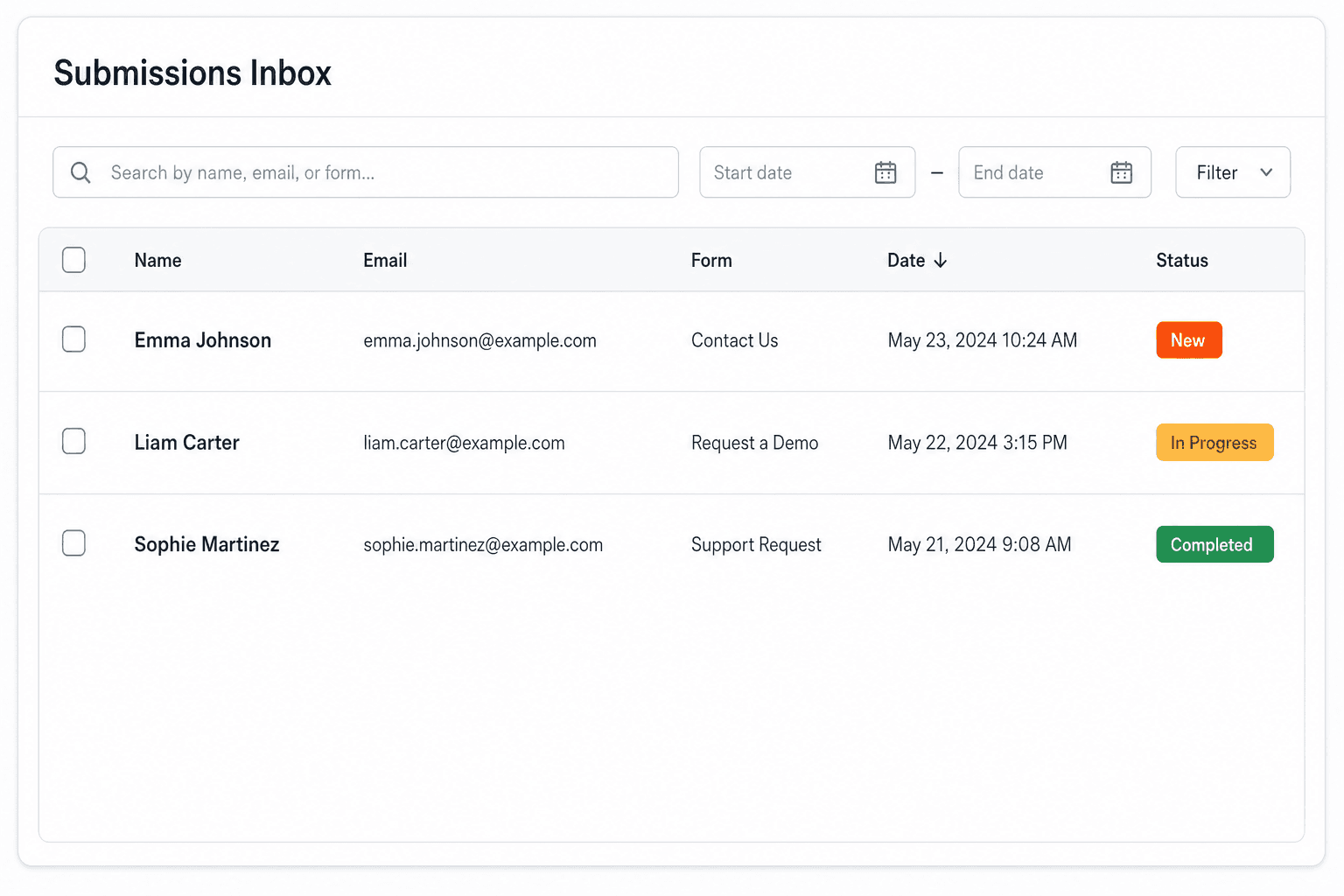
Read every submission under splitforms → Entries, with Inbox and Spam views and search — no custom database tables.
No-plugin setup
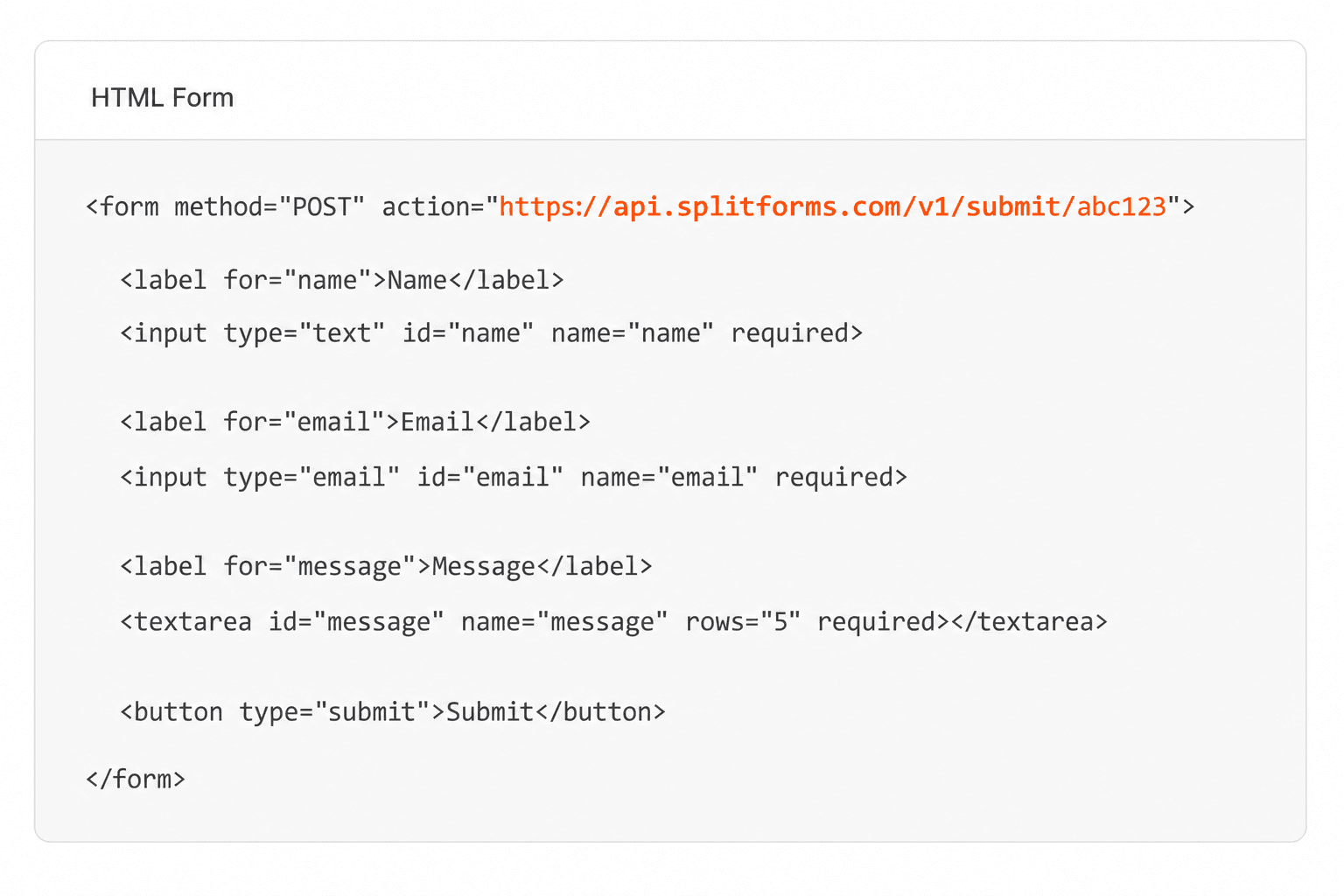
No plugin, no admin settings. Add a Custom HTML block to any page or post, paste this form, swap in your access key, and publish — WordPress just renders the markup while splitforms handles delivery, storage, and spam.
<form action="https://splitforms.com/api/submit" method="POST">
  <input type="hidden" name="access_key" value="YOUR_ACCESS_KEY" />
  <input type="hidden" name="form-name" value="wordpress-contact" />
  <input name="name" placeholder="Name" required />
  <input name="email" type="email" placeholder="Email" required />
  <textarea name="message" placeholder="Message" required></textarea>
  <input type="checkbox" name="botcheck" style="display:none" tabindex="-1" />
  <button type="submit">Send</button>
</form>
Setup
Install splitforms from WordPress.org and the setup wizard walks you through connecting, picking a form and placing it. Prefer no plugin? Paste the HTML above into a Custom HTML block instead. Either way, every submission lands in your inbox and dashboard.
Install splitforms from the WordPress.org plugin directory. The setup wizard opens on activation: click Connect to splitforms, sign in with Google or email, and approve the site.
Choose one of your splitforms forms, or let splitforms create a contact form with name, email and message fields.
Add the splitforms block, the [splitforms] shortcode or the Elementor widget to a page. Already on Contact Form 7, WPForms, Fluent Forms, Gravity Forms or Ninja Forms? Keep it and turn on backups under splitforms → Form plugins.
Keep your form plugin
Many WordPress form plugins don't keep a copy of what visitors send, and WordPress email often fails quietly on hosts without SMTP. Under splitforms → Form plugins, pick a mode per form: Off, Back up (splitforms stores a copy and your plugin still sends its email), or Back up + send email (splitforms stores and emails it, and your plugin's admin email is skipped only once splitforms confirms the entry is stored).

Where submissions go
Every WordPress contact form submission is emailed to you and saved to a searchable dashboard — spam filtered before it reaches you. Read them inside WordPress under splitforms → Entries, search, export to CSV, or forward it to a webhook or Slack on Pro.

Plugin or no plugin
You can add a WordPress contact form two ways. Install the splitforms plugin and place a form with the block, the [splitforms] shortcode or the Elementor widget, or skip plugins entirely and paste the HTML form into a Custom HTML block. Either way splitforms handles delivery, storage, and spam. For the full no-plugin route, with theme and caching gotchas, see our WordPress contact form without a plugin guide.

How SplitForms works
splitforms receives the submission, filters spam, saves it to your dashboard and emails you — then, on paid plans, sends it on to your webhooks and integrations. No backend infrastructure to build.
Point your form to your unique SplitForms endpoint. That's it.
We instantly capture and organize every submission in your inbox.
Send data to email, spreadsheets, CRMs, webhooks, and 7,000+ apps.

No credit card required. Set up in under 60 seconds.
Connect & automate
On paid plans, submissions can also go to Slack, Discord, Google Sheets, Notion, Airtable, Zapier or any signed webhook — and splitforms works on the platforms you build on, from WordPress and Shopify to Next.js. With Stripe connected, your forms can take payments too.
 NewTake payments on your formsDeposits, bookings, order forms — submitters check out through Stripe and the money goes straight to your Stripe account. Included on every paid plan.See payment forms →Need time slots? Online booking →
Questions
Install the splitforms plugin from WordPress.org. Its setup wizard connects your site, lets you pick a form or create a contact form for you, and you place it with the splitforms block, the [splitforms] shortcode or the Elementor widget. If you want no plugin at all, paste the plain HTML form into a Custom HTML block instead.
Yes. Under splitforms → Form plugins you choose a mode for each Contact Form 7, WPForms, Fluent Forms, Gravity Forms or Ninja Forms form: Off, Back up (splitforms stores a copy and your plugin still sends its own email), or Back up + send email (splitforms stores and emails it; your plugin's admin email is skipped only when splitforms confirms it stored the entry). Ninja Forms supports Back up only, and every form starts Off.
A backup that can't be delivered never breaks the visitor's submission. It waits on your site and is retried automatically. Visitor autoresponders stay with your form plugin, and file contents are not uploaded, only file names and links.
No. splitforms sends the notification email from its own delivery stack, on every plan, so splitforms forms don't depend on wp_mail or an SMTP plugin.
Yes. The plugin adds an Entries screen with Inbox and Spam views, a filter by form, search and a detail screen per entry, plus a Forms screen with copy-ready shortcodes, a dashboard widget with recent entries and usage, and Site Health checks. It adds no custom database tables; submissions live in your splitforms account.
There is no SMTP to configure and no hidden email cap. The main limit is 500 submissions total, one time, not per month — and submissions backed up from other form plugins count toward the same allowance. Heavy senders can upgrade; the contact form, spam filtering and email notifications are free.
Yes. Each form in splitforms has its own access key, so you can run a contact form, a quote form, and a newsletter form on different pages and keep their submissions separate.
Simple pricing
Free gives you 500 submissions for $0 — no card, no time limit. Pro is $5/month for 5,000 submissions a month, and Annual is $49/year for 15,000 a month with every Pro feature.
For side projects and indie devs.
Every paid feature, for agencies and growing products.
Every Pro feature with triple the volume — $0.27 per 1,000 at full use.
No credit card required on Free • Cancel anytime • Full pricing and FAQ


