
Point any HTML form at one endpoint. 500 free submissions — no card, no time limit — and unlimited forms.
Create free accountPlugin or hosted backend: the real decision in 2026
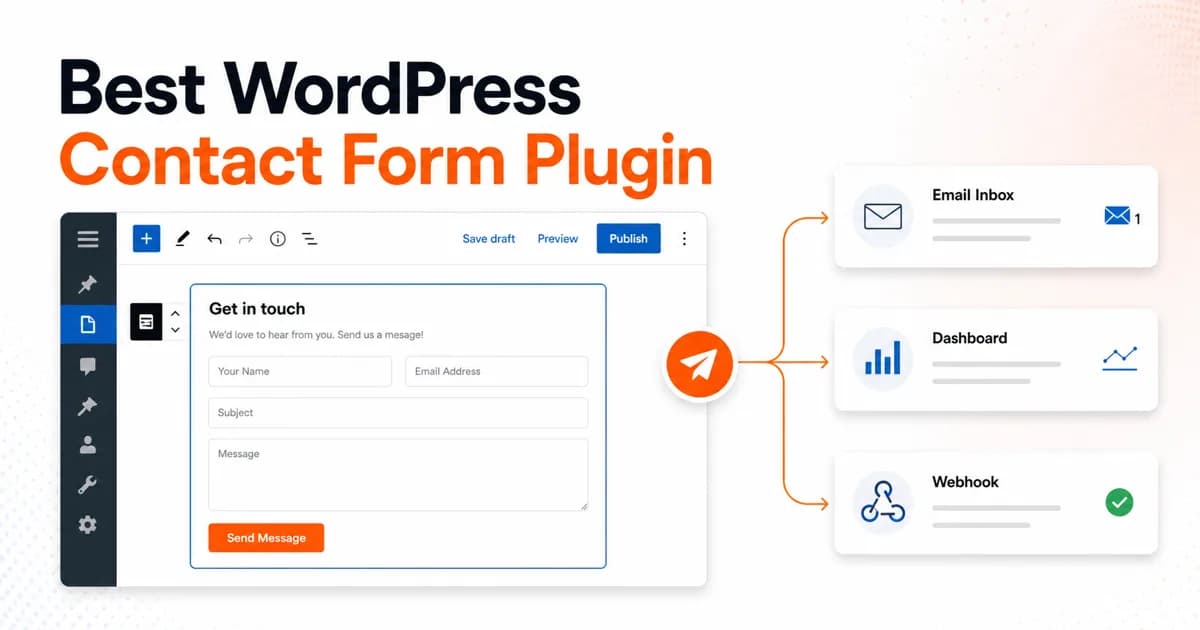
Every "best WordPress contact form plugin" search hides a prior question: should the form's machinery run inside WordPress at all? A classic plugin executes PHP on your server, stores entries in your database, and hands delivery to wp_mail(). A hosted backend keeps the form's HTML in WordPress but sends the POST to an external service that handles spam, storage, and email. This guide ranks the ten leading options across both camps.
Short answer: splitforms is our top pick for most WordPress sites, and it works two ways — install the official splitforms WordPress plugin for a visual form builder and submissions dashboard inside wp-admin, or skip plugins entirely and post a plain HTML form to https://splitforms.com/api/submit. Either path means no wp_mail configuration, no new database tables, spam filtering out of the box, and free email notifications on every plan, including Free.
One honest disclosure before the ranking: splitforms is our product, so treat that #1 spot with appropriate skepticism — here's the criteria so you can judge for yourself. The other nine plugins below are the real, still-dominant WordPress ecosystem leaders, scored on their own merits, not talked down to make splitforms look better.
The top 10, compared at a glance
Ten WordPress contact form options, scored on the four things that actually decide whether a form works in production: what the free tier really includes, how spam is filtered, where your submissions end up, and what the first paid tier costs.
| Plugin | Free tier | Spam protection | Where submissions live | Paid from |
|---|---|---|---|---|
| splitforms | 500 total, email included | Honeypot + time-trap + rate limit + heuristics | splitforms dashboard | $5/mo |
| WPForms | Lite (feature-gated) | Honeypot + reCAPTCHA | WordPress database | ~$49.50/yr |
| Contact Form 7 | Free forever, no paid tier | None built-in (Akismet add-on) | Nowhere by default | N/A |
| Fluent Forms | Lite (generous fields) | Honeypot + reCAPTCHA | WordPress database | Annual license |
| Gravity Forms | None — no free tier | Honeypot; Akismet add-on | WordPress database | Annual license |
| Ninja Forms | Free core, paid add-ons | Honeypot; reCAPTCHA add-on | WordPress database | Per add-on |
| Formidable Forms | Lite (basic fields) | Honeypot + reCAPTCHA | WordPress database | Annual license |
| Forminator | Free, very generous | Honeypot + reCAPTCHA/hCaptcha | WordPress database | WPMU DEV membership |
| Jetpack Forms | Free with Jetpack | Akismet (built-in) | wp-admin + email | Paid Jetpack tier |
| MetForm | Free (Elementor-based) | Honeypot + reCAPTCHA | WordPress database | Annual license |
Pricing for the classic plugins is qualitative and hedged (as of September 2026) on purpose — annual licenses and add-on pricing change more often than free-tier limits do. Check each vendor's current pricing page before you buy.
Do you even need a form plugin?
Most WordPress contact pages are three to seven fields: name, email, phone, message, maybe a budget or service dropdown. A full plugin stack handles that fine, but it also adds updates, enqueued JavaScript and CSS on every page, new database tables, and — for every plugin except a hosted backend — an SMTP setup problem you didn't ask for.
If you'd rather skip plugins entirely, the plain-HTML approach is walked through step by step in add a contact form to WordPress without a plugin. If you only want the best free plugin and don't care about a hosted backend, that comparison lives in a separate guide: our best free WordPress contact form plugin roundup covers Contact Form 7, WPForms Lite, Forminator, Fluent Forms Lite, Ninja Forms, and HappyForms in depth. This post ranks the full field — free and paid, plugin and non-plugin — for whichever setup actually fits your site, and the WordPress contact form page has the install steps for both routes.
How we ranked these 10
- Free-tier honesty. Does "free" mean a usable form, or a crippled demo that pushes you to upgrade on day one?
- Spam protection included. Honeypot is the floor. Rate limiting, a time-trap, and content heuristics beat a bare CAPTCHA.
- Deliverability risk. Does it rely on your host's wp_mail(), or does it send from its own authenticated infrastructure?
- Where the data lives. A real dashboard beats a flat WordPress admin list, and portability beats lock-in.
- Page weight and bloat. Database tables, enqueued assets, and admin screens the plugin adds whether you use them or not.
- Upsell aggressiveness. How much of the plugin is a funnel toward a paid tier versus a genuinely useful free product.
We didn't weight brand recognition or install counts — WPForms and Contact Form 7 both have those in abundance and still lose points on deliverability and spam handling below.
1. splitforms — the top pick
Free: 500 submissions total, unlimited forms, email notifications included on every plan. Pro $5/mo: 5,000 submissions, signed webhooks, 13 integrations. Annual $49/yr: 15,000/month, every Pro feature.
splitforms isn't a classic WordPress plugin, and that's the pitch. Install the official splitforms WordPress plugin for a visual drag-and-drop form builder plus a submissions dashboard inside wp-admin, or skip plugins entirely and post a plain HTML form to https://splitforms.com/api/submit with a hidden access_key field. Either way, WordPress never touches wp_mail(), never creates a submissions table, and never enqueues form-builder JavaScript on pages that don't have a form. Founded in 2012.
What's good: spam filtering — honeypot, a time-trap on form load time, rate limiting, and content heuristics — runs free on every plan, with optional reCAPTCHA v2 if you want a second layer. Pro unlocks HMAC-SHA256 signed webhooks (header X-Splitforms-Signature, prefixed sha256=), though it's worth knowing upfront that delivery is subject to an 8-second timeout with one retry on network errors, timeouts or 5xx (not 4xx), plus 13 integrations covering Slack, Discord, Google Sheets, Notion, Airtable, HubSpot, Mailchimp, WhatsApp, Telegram, Microsoft Teams, and Zapier/Make/n8n for everything else. What's missing: no native page-builder integration the way Elementor-first tools like MetForm have — you're either in the plugin's simple builder or writing the HTML yourself. Verdict: the pick if you want a working contact form without becoming a part-time WordPress plugin administrator.
2. WPForms
Free: WPForms Lite (WordPress.org, feature-gated). Paid: from about $49.50/year (Basic, single site).
WPForms is the most widely installed drag-and-drop form builder in the WordPress ecosystem, and for good reason — the builder is genuinely easy for non-developers, the template library is large, and it's deeply embedded in wp-admin. Lite covers a basic contact form for free.
What's good: polished UI, a mature add-on catalog (Stripe, PayPal, surveys, signatures) on paid tiers, and one of the largest support organizations in WordPress behind it. What's missing: Lite has no file uploads, no conditional logic, and no real entry storage beyond a basic list; the useful features sit behind an annual license, and — like every plugin on this list except splitforms — you still need a separate SMTP plugin for reliable delivery. See the full splitforms vs WPForms comparison for the line-by-line breakdown. Verdict: the safest pick if you specifically want a native drag-and-drop builder inside wp-admin and don't mind an annual license.
3. Contact Form 7
Free: forever, no paid tier at all. Companion plugins (storage, SMTP): free to roughly $49+/year.
Contact Form 7 is the WordPress form plugin most site owners have already used without realizing it — millions of active installs, released in 2007, and still free with zero premium upsell on the core plugin. You build forms with a compact template-tag syntax, which is flexible but ships with no visual builder.
What's good: genuinely free forever, no upgrade nags, a huge community, and a lightweight core. What's missing is basically everything past the form markup: no submission storage by default (add the free Flamingo plugin), no spam protection by default (add Akismet or reCAPTCHA), and no delivery guarantee without WP Mail SMTP. A working CF7 setup is normally three plugins, not one — our best free WordPress contact form plugin guide walks through that stack in detail. Verdict: the right free option only if you don't mind assembling your own storage-plus-SMTP-plus-spam stack.
4. Fluent Forms
Free: Fluent Forms Lite (generous fields, fast). Paid: annual license — check current pricing.
Fluent Forms built its reputation on speed. The free Lite tier is noticeably lighter than WPForms or Gravity Forms and includes conditional logic and multi-column layouts that other free tiers gate behind Pro. The same team ships FluentSMTP for free, so at least the SMTP add-on stays in-family.
What's good: fast, a generous free tier by plugin standards, and a well-integrated SMTP companion. What's missing: file uploads and deeper integrations are still Pro-only, and — FluentSMTP aside — it's the same wp_mail-and-database architecture as everything else on this list, so spam filtering and deliverability are still yours to manage. Verdict: the fastest plugin-based builder if you're staying inside WordPress and can live without free file uploads.
5. Gravity Forms
Free: none — Gravity Forms has never had a free tier. Paid: annual license from day one.
Gravity Forms is the developer and agency standard for complex WordPress forms — multi-page logic, calculations, an open API, and a mature add-on ecosystem (GravityView for front-end listings, Gravity Flow for approvals). It's the plugin teams reach for when a form needs to behave like a small application.
What's good: genuinely powerful, well-documented hooks and filters, and add-ons that cover almost any workflow. What's missing: there is no free version at all, so you're paying before you've built a single form, and — same as the rest of this list — you still need an SMTP plugin for reliable delivery and your own spam add-on. Verdict: worth the license if you're building genuinely complex forms; overkill for a plain contact page.
6. Ninja Forms
Free: core plugin, drag-and-drop builder, unlimited forms. Paid: per-add-on annual pricing.
Ninja Forms splits itself into a free core (a real drag-and-drop builder with no cap on form count) and a marketplace of paid add-ons for everything past a basic form — file uploads, deeper conditional logic, CRM integrations, and its own spam tools are all separate purchases.
What's good: the free core is more capable out of the box than it gets credit for, and the add-on model means you only pay for what you actually use. What's missing: add-ons add up quickly if you need more than two or three, and it's still wp_mail underneath, so SMTP is on you. Verdict: reasonable if you know exactly which add-ons you need and stop there.
7. Formidable Forms
Free: Formidable Forms Lite (WordPress.org, basic fields). Paid: annual license.
Formidable positions itself as more than a contact form tool — calculations, multi-page logic, and "Views" that turn submissions into front-end directories or mini reports make it closer to a lightweight database-app builder than a simple form plugin.
What's good: the calculation and Views features are genuinely unusual in this category and useful for pricing calculators or member directories. What's missing: that power comes with a steeper learning curve than WPForms or Fluent Forms, most of it sits behind the paid tier, and delivery still runs through wp_mail. Verdict: a strong pick specifically for calculator or directory-style forms, not for a plain contact page.
8. Forminator
Free: very generous — free file uploads, conditional logic, quizzes, and polls. Paid: bundled into a WPMU DEV membership.
Forminator, from WPMU DEV, has the most generous free tier of any traditional plugin on this list. Where WPForms and Fluent Forms gate file uploads behind Pro, Forminator includes them for free, along with quizzes, polls, and calculation forms.
What's good: the free-feature list is genuinely the best of the plugin group, and honeypot plus reCAPTCHA/hCaptcha support is included at no cost. What's missing: it's a heavier plugin that enqueues more assets than a plain contact form needs, and getting full value means a WPMU DEV membership rather than a one-off purchase. Verdict: the most feature-complete free plugin here if you're already invested in the WPMU DEV ecosystem.
9. Jetpack Forms
Free: included with Jetpack. Paid: a Jetpack Forms tier removes limits and adds extra blocks — pricing shifts, so check Jetpack's current plans as of mid-2026.
Jetpack Forms is Automattic's native form block, built directly into the WordPress block editor rather than bolted on as a separate plugin experience. If you already run Jetpack for stats, backups, or security, the form block is already available with no extra install.
What's good: it's genuinely block-editor-native, so it feels like part of WordPress rather than a third-party UI, and spam filtering runs on Akismet — which Automattic also owns — so it's built in rather than bolted on. What's missing: it's meaningfully less flexible than a dedicated form plugin for multi-page logic or complex conditional fields, and you're pulled into the broader Jetpack plugin to get it. Verdict: the easiest option if you already run Jetpack and only need a simple, native-feeling form block.
10. MetForm
Free: MetForm (WordPress.org, Elementor-based). Paid: annual Pro license.
MetForm is built specifically for Elementor page builder users — form editing happens inside the Elementor canvas rather than a separate admin screen, which matters if your whole site is already built in Elementor.
What's good: genuinely native Elementor integration and a modern-looking free template set. What's missing: it's the least useful option on this list if you don't already use Elementor, since the entire pitch is page-builder integration, and multi-step forms, payments, and deeper conditional logic sit behind the paid tier. Verdict: only worth it if your site is already built in Elementor — otherwise pick something else on this list.
So which one should you actually install?
- Just want a working contact form with no plugin maintenance: splitforms — install the plugin for a visual builder, or paste plain HTML. See splitforms for WordPress for both setups.
- Want a native wp-admin drag-and-drop builder and don't mind an annual license: WPForms or Fluent Forms.
- Want $0 forever and don't mind assembling SMTP and spam add-ons yourself: Contact Form 7 — see the full free plugin comparison.
- Building genuinely complex multi-page or calculation forms: Gravity Forms or Formidable Forms.
- Already building the site in Elementor: MetForm.
- Already running Jetpack for other reasons: Jetpack Forms.
If you're still undecided, start with splitforms' free tier — 500 submissions total costs nothing to try, no credit card required. Compare paid tiers on the pricing page, or create a free account and have a form working in about five minutes, plugin or no plugin.
FAQ
What is the best WordPress contact form plugin?
The best WordPress contact form plugin in 2026 depends on what you need inside wp-admin. If you want a visual builder, WPForms or Fluent Forms are solid choices. But for most sites, splitforms is the better overall pick: no wp_mail or SMTP setup, spam filtering included, and a real submissions dashboard, free for 500 submissions total.
Do I need a WordPress plugin for a contact form at all?
No. WordPress doesn't require a form plugin — you can paste plain HTML into a Custom HTML block and point the form's action at a hosted backend like splitforms. That skips plugin updates, PHP execution, and new database tables entirely. See the no-plugin walkthrough for the exact five-minute setup.
Is Contact Form 7 still worth using in 2026?
Yes, if you're comfortable assembling a small stack yourself. Contact Form 7 is free forever with no paid tier, but it stores nothing by default and relies on your host's wp_mail() for delivery. In practice you add Flamingo for storage and WP Mail SMTP for deliverability — three plugins doing what one hosted backend does alone.
Why do WordPress contact form emails end up in spam?
Most WordPress form plugins — including WPForms, Gravity Forms, Fluent Forms, and Contact Form 7 — hand notification email to wp_mail(), which uses your host's unauthenticated PHP mail. Shared hosts routinely throttle or block it. The fix is a separate SMTP plugin and an authenticated sending account, or a backend like splitforms that sends from its own infrastructure with no SMTP step at all.
What's the actual difference between a plugin and a hosted form backend?
A plugin runs PHP on your WordPress server, stores entries in new database tables, and enqueues JavaScript and CSS on your pages. A hosted backend like splitforms keeps the form's HTML in WordPress, but the POST request goes to an external API that handles spam filtering, storage, and email — nothing to install, nothing to update, no tables added to your WordPress database.
Is splitforms actually free, or is that just a trial?
Free means free: 500 submissions total with no time limit, unlimited forms, spam filtering, and email notifications, with no credit card required. Paid plans are Pro at $5/month (5,000 submissions a month, signed webhooks, integrations) and Annual at $49/year for 15,000 submissions a month.
Which WordPress contact form plugin has the best built-in spam protection?
Among the classic plugins, Forminator and Fluent Forms ship a free honeypot plus reCAPTCHA, and Jetpack Forms includes Akismet automatically. splitforms runs a honeypot, a time-trap, rate limiting, and content heuristics on every submission for free, with optional reCAPTCHA v2 — no CAPTCHA required by default.
How do I add splitforms to a WordPress site?
Two ways: install the official splitforms WordPress plugin for a visual form builder and submissions dashboard inside wp-admin, or paste a plain HTML form into a Custom HTML block with no plugin at all. Both paths post to the same endpoint, https://splitforms.com/api/submit, with your access key as a hidden field.
Ready to skip the plugin stack? Create a free splitforms account and either install the WordPress plugin or paste a native HTML form — 500 submissions total, no credit card.