
React Form Backends, Ranked
React form libraries solve state, validation, dirty fields, arrays, and UI behavior. They do not deliver the submission to your inbox, store the lead, filter spam, retry webhooks, or export a CSV for a client.
This ranking is for React contact forms, landing-page demo requests, Vite apps, client dashboards, and static sites that need a reliable submission layer without building a server.
Top 10 Comparison
Same provider data as the evergreen backend roundup, filtered through what matters for React: deployment model, form action compatibility, webhooks, free plan room, and how much code you need to own.
| Rank | Backend | Free plan | Paid path | Webhooks | React fit |
|---|---|---|---|---|---|
| #1 | splitforms9.7 | 1,000 submissions/mo | $5/mo Pro; $59 long-term plan | Included free | Best fit for React Hook Form, uncontrolled HTML forms, Vite apps, and fetch-based submissions. |
| #2 | Formspree8.6 | 50 submissions/mo | $10/mo Personal; $20/mo Professional | Paid plans | Has a React package and plenty of examples; pricing is the main tradeoff. |
| #3 | Web3Forms8.3 | 250 submissions/mo | Pro pricing localizes; 10k submissions on Pro | Paid plans | Simple access-key flow works in any React form; dashboard depth is limited. |
| #4 | Basin8.1 | 50 submissions/mo | $12.50/mo Starter billed yearly | Growth plan | Polished enough for client-facing work; less attractive if you need free webhooks. |
| #5 | Formspark7.9 | 250 submissions total | $25 one-time bundle for 50k submissions | Paid bundle | Good for low-volume React projects that prefer prepaid credits. |
| #6 | Formcarry7.8 | 50 submissions/mo | $5/mo Starter billed yearly | Integration limits | A decent React-compatible choice for file upload workflows. |
| #7 | FormKeep7.5 | 50 submissions/mo | $4.99/mo Essential | Essential plan | Simple endpoint flow works fine, but the form limit can matter. |
| #8 | Forminit / Getform7.3 | 100 submissions/mo | $19/mo Pro billed yearly | Pro plan | Fine for React, but not the cheapest path once webhooks matter. |
| #9 | Static Forms7.2 | 500 emails/mo | $7.50/mo Pro billed yearly | Pro plan | Strong email allowance for simple React forms, with paid integrations. |
| #10 | Netlify Forms6.9 | 300 shared credits/mo | $9/mo Personal; $20/seat Pro | Available | Fine for Netlify-hosted React sites, but host lock-in is the tradeoff. |
Why splitforms Is #1 for React
splitforms lets your React app stay focused on the interface. Use React Hook Form or a basic FormData handler, then send the payload to one endpoint. The service handles email, storage, spam filtering, exports, and webhook delivery.
It is also framework-independent, so the same form backend works if a Vite SPA becomes a Next.js app, an Astro island, or a static marketing site later.
The Ranking
splitforms
Best fit for React Hook Form, uncontrolled HTML forms, Vite apps, and fetch-based submissions.
- Free
- 1,000 submissions/mo
- Paid
- $5/mo Pro; $59 long-term plan
- Best for
- Code-first sites, agencies, SaaS landing pages
Formspree
Has a React package and plenty of examples; pricing is the main tradeoff.
- Free
- 50 submissions/mo
- Paid
- $10/mo Personal; $20/mo Professional
- Best for
- Teams that want the established brand
Web3Forms
Simple access-key flow works in any React form; dashboard depth is limited.
- Free
- 250 submissions/mo
- Paid
- Pro pricing localizes; 10k submissions on Pro
- Best for
- Small email-only HTML forms
Basin
Polished enough for client-facing work; less attractive if you need free webhooks.
- Free
- 50 submissions/mo
- Paid
- $12.50/mo Starter billed yearly
- Best for
- Designers who care about dashboard polish
Formspark
Good for low-volume React projects that prefer prepaid credits.
- Free
- 250 submissions total
- Paid
- $25 one-time bundle for 50k submissions
- Best for
- Projects that prefer one-time credits
Formcarry
A decent React-compatible choice for file upload workflows.
- Free
- 50 submissions/mo
- Paid
- $5/mo Starter billed yearly
- Best for
- File uploads and Stripe-style workflows
FormKeep
Simple endpoint flow works fine, but the form limit can matter.
- Free
- 50 submissions/mo
- Paid
- $4.99/mo Essential
- Best for
- Designers who want a tiny paid plan
Forminit / Getform
Fine for React, but not the cheapest path once webhooks matter.
- Free
- 100 submissions/mo
- Paid
- $19/mo Pro billed yearly
- Best for
- Teams that already used Getform
Static Forms
Strong email allowance for simple React forms, with paid integrations.
- Free
- 500 emails/mo
- Paid
- $7.50/mo Pro billed yearly
- Best for
- Simple static sites with email-first delivery
Netlify Forms
Fine for Netlify-hosted React sites, but host lock-in is the tradeoff.
- Free
- 300 shared credits/mo
- Paid
- $9/mo Personal; $20/seat Pro
- Best for
- Sites already hosted on Netlify
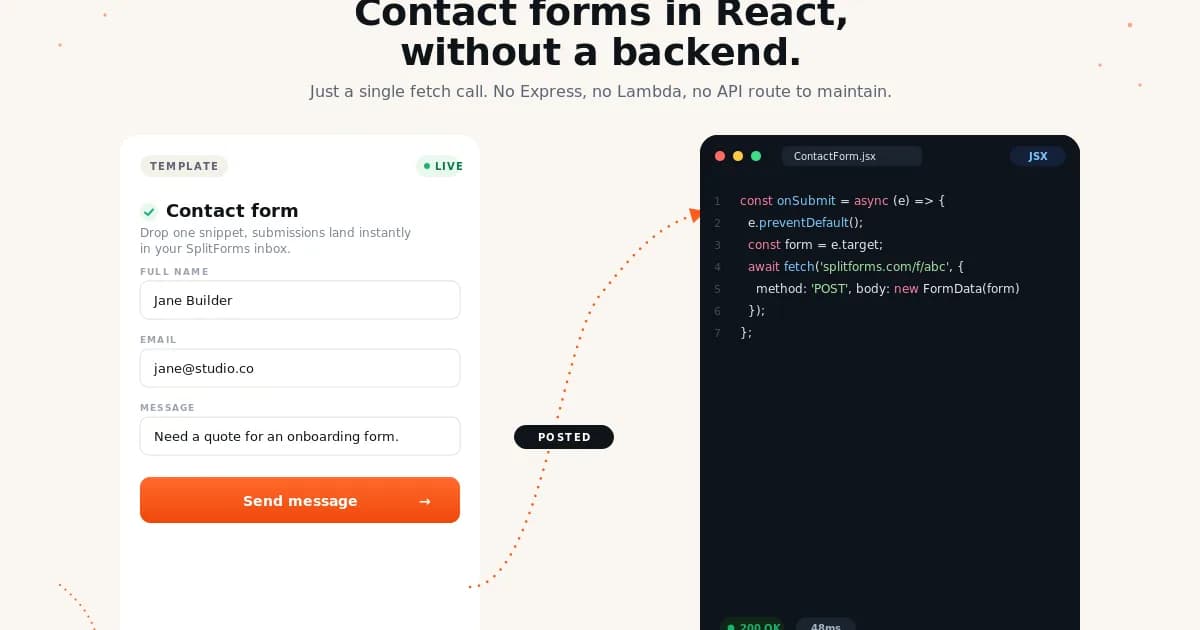
Smallest React Example
import { useState } from "react";

export function ContactForm() {
  const [status, setStatus] = useState("idle");

  async function onSubmit(event) {
    event.preventDefault();
    setStatus("sending");

    const formData = new FormData(event.currentTarget);
    formData.append("access_key", import.meta.env.VITE_SPLITFORMS_ACCESS_KEY);

    const response = await fetch("https://splitforms.com/api/submit", {
      method: "POST",
      body: formData,
    });

    setStatus(response.ok ? "sent" : "error");
  }

  return (
    <form onSubmit={onSubmit}>
      <input name="name" placeholder="Name" required />
      <input name="email" type="email" placeholder="Email" required />
      <textarea name="message" placeholder="Message" required />
      <button type="submit" disabled={status === "sending"}>Send</button>
    </form>
  );
}
Want the implementation walkthrough? Read the React form backend guide, the React form library comparison, and the Vite React contact form tutorial.
Pricing Sources
Snapshot checked June 3, 2026. Always verify the live pricing page before moving production forms.
FAQ
What is the best form backend for React?
splitforms is the best default pick for most React apps because it works with React Hook Form, Vite, plain controlled or uncontrolled forms, and static hosting while including 1,000 free submissions per month and free webhooks.
Can React Hook Form post to a form backend?
Yes. React Hook Form validates and collects the data, then you can POST that data to a hosted endpoint such as splitforms, Formspree, Web3Forms, Basin, or another form backend.
Do I need a backend API for a React contact form?
Not always. If the form only needs email delivery, storage, spam filtering, and webhook forwarding, a hosted form backend is usually simpler than creating an API route, database table, SMTP setup, and webhook queue.
Will these work in Vite React apps?
Yes. The host-independent providers work in Vite, CRA, Remix client forms, Astro React islands, and any SPA that can send a POST request. Netlify Forms is the host-specific exception.