
Contact form for Nuxt apps
Nuxt 3, Nuxt Content, Nuxt Studio, Nuxt UI — all flavors work. Use a Vue 3 Composition API page, pull your key from runtimeConfig.public, and skip writing a `/server/api` route. Or use a Nitro server route to keep the key server-side. Both patterns supported.
Updated May 21, 2026 · Tested with standard HTML form submissions
What your Nuxt contact form actually looks like.
Drop-in form backend with spam filtering and a real submissions dashboard. Starter adds signed webhooks. The same code in this preview is what you copy into your Nuxt project — no SDK, no plugin, no PHP.
- ✓500 submissions per month, free forever
- ✓Honeypot + AI spam classifier on every plan
- ✓Signed webhooks to Slack, Discord, your server
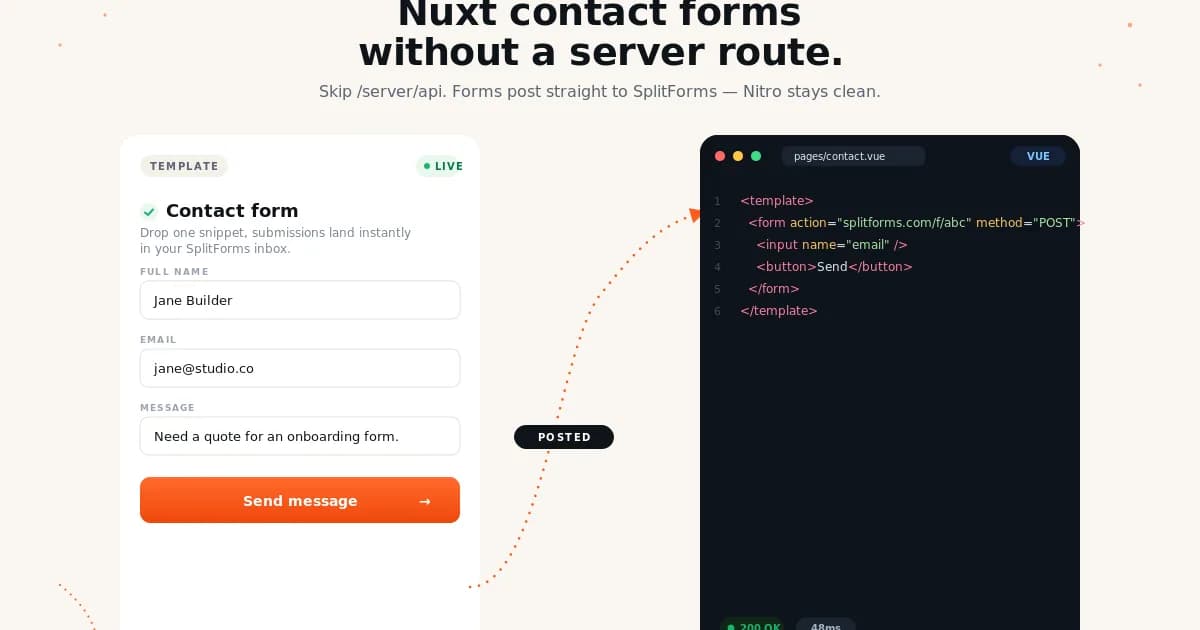
Ship a Nuxt contact form without a backend.
No SDK, no PHP, no plugin. Your form posts standard FormData to one URL — submissions land in your dashboard.
Get your free access key
Verify your email and your access key is generated instantly. Free for 500 submissions per month, forever.
By signing up, you agree to our terms and privacy policy.
Drop in the Nuxt code
Copy the Nuxt snippet on the right and paste it into your project. Replace YOUR_ACCESS_KEY with the key from step 1.
Submissions land in your dashboard
Free captures the submission in your dashboard. Starter adds email, Slack, Discord, Sheets, Notion, or any signed webhook URL.
Try it now — no signup, no key.
This is a styled HTML preview of what your Nuxt form will look like. Submitting opens a confirmation, no real request is sent.
Your Nuxt form posts FormData to /api/submit. Splitforms validates the access key, runs the spam classifier, and forwards the parsed submission to your inbox plus the dashboard.
- →14ms median round-trip from the edge.
- →Honeypot + classifier, no CAPTCHA.
- →Per-domain key locking out of the box.
{
  "access_key": "sk_live_4f9a_••••",
  "name":       "Maya Iyer",
  "email":      "maya@studio71.co",
  "message":    "…"
}How to ship this without regrets.
Five rules that make the difference between a form that works in the demo and a form that survives launch traffic.
- 01
Use the client-side fetch pattern (the snippet above) — fewer moving parts, works on every Nitro preset, no server CPU time used.
- 02
Define `splitformsKey` in `nuxt.config.ts` under `runtimeConfig.public`. Read from `process.env.NUXT_PUBLIC_SPLITFORMS_KEY` so it's environment-driven.
- 03
If you must hide the key, use a `/server/api/contact.post.ts` Nitro route — define the key under `runtimeConfig` (not `.public`) so it stays server-side.
- 04
After successful submit, `await navigateTo('/thanks')` rather than just resetting the form. Nuxt's router gives you a clean redirect with no full page reload.
- 05
Lock the access key to your domain in the splitforms dashboard. Nuxt's local dev (`localhost:3000`) needs to be in allowed domains for testing — or use a separate dev key.
What bites people who skip the docs.
Worth a 60-second skim before you ship to production. Each one has caused a Nuxt support ticket at least once.
runtimeConfig.public is required for client exposure — `runtimeConfig.x` is server-only
Nuxt's runtimeConfig has two scopes. Anything under runtimeConfig.public is exposed to the browser bundle; anything else is server-only. If you put splitformsKey directly in runtimeConfig (not .public), useRuntimeConfig().splitformsKey returns undefined client-side.
useRuntimeConfig() called outside setup() returns empty object
Calling useRuntimeConfig() inside a regular function (not inside <script setup> or a composable) returns {}. Always call it at the top of <script setup> and capture the value, then use config.public.splitformsKey inside event handlers.
Nitro Cloudflare preset has 10ms CPU time on the free plan
If you proxy the splitforms call through a Nuxt server route (/server/api/contact.post.ts), the fetch round-trip eats your Cloudflare Worker CPU budget. On Cloudflare Pages Free tier, this can fail under load. Skip the proxy: have the form POST directly to splitforms.com.
Nuxt Content's <ContentDoc> rendering can break form HTML
If you embed the form in a Markdown file rendered by Nuxt Content, MDC syntax may interpret your inputs as MDC components. Wrap the form in <NuxtContent> (or use :component="ContactForm") instead of inline form HTML.
useFetch / $fetch differ from native fetch on body handling
Nuxt's $fetch('/url', { body: formData }) automatically sets Content-Type: multipart/form-data AND tries to JSON-stringify your FormData. Use the native fetch() API in the form handler — $fetch is for typed Nitro routes, not third-party endpoints.
Payload extraction (Nuxt 3 SSG) inlines form state into the prerendered HTML
When you run nuxt generate for SSG, Nuxt's payload extractor serializes any reactive ref() values referenced during prerender into a __NUXT__ global on the static HTML — including the initial state of your form fields if they're populated server-side from useAsyncData. If you've prefilled a name ref from a logged-in user fixture, every visitor sees that fixture's value on first paint until hydration overrides it. Keep form refs initialized to empty strings on the server, or wrap the form in <ClientOnly> so SSG doesn't snapshot any default state at all.
How Nuxt handles forms without splitforms.
The shape of the problem before splitforms enters the picture — and the gap it fills for Nuxt specifically.
Nuxt 3's Nitro server gives you /server/api/contact.post.ts for free — write a handler, parse FormData, send email, store the submission, fan out a webhook. The DX is good; the operational cost is the same as any framework: an SMTP integration (Nodemailer + a transactional provider), a Postgres or KV store for submissions, anti-spam logic (honeypot + classifier or hCaptcha), and webhook signing if you want secure delivery to Slack/Discord/Make.com. Each feature is another deploy artifact, another env var, another thing to monitor. Splitforms is the inverse: skip the /server/api route entirely (post directly from the page), or proxy through a one-line Nitro route to keep the key server-side.
Two ways to ship splitforms on Nuxt.
Pick the pattern that matches your constraints — JS budget, key-exposure tolerance, server-side opacity. Both produce the same result.
Pattern A — direct browser POST from `<script setup>`
No server route. Page reads the access key from useRuntimeConfig().public.splitformsKey. Works identically on every Nitro preset.
Pattern B — Nitro server route (key stays server-side)
Page posts to /api/contact (a Nitro route) which appends the access key from runtimeConfig.splitformsKey (private) and proxies to splitforms. Adds a hop but the key never reaches the browser bundle.
Shipping Nuxt + splitforms to production.
Host-specific gotchas, env-var conventions, and the boring-but-load-bearing details for putting this on the public internet.
Nuxt's Nitro server abstracts away deployment — pick a preset (vercel, netlify, cloudflare-pages, cloudflare-workers, node-server, static, aws-lambda, digital-ocean) and ship. The form's POST is cross-origin to splitforms, so the preset doesn't affect delivery. On Cloudflare Workers (10ms CPU on free tier), strongly prefer Pattern A — Pattern B's $fetch round-trip can blow the budget under load. Use runtimeConfig.public.splitformsKey (client-exposed) for Pattern A and runtimeConfig.splitformsKey (server-only) for Pattern B. Both populate from NUXT_PUBLIC_SPLITFORMS_KEY / NUXT_SPLITFORMS_KEY env vars.
splitforms vs native nuxt.
What you get for free vs what you build, pay for, or do without.
Server route variant — hides the access key, keeps it off the bundle
If you'd rather not expose the access key client-side, proxy through a Nitro server route. Define the key under `runtimeConfig` (not `.public`) so it never reaches the browser.
Things developers ask before they integrate.
Direct answers, no marketing fluff. Missing one? Email hello@splitforms.com.
Ship your Nuxt contact form in 60 seconds.
500 free submissions per month. No credit card. Lock the access key to your domains, paste the snippet, watch submissions land in your dashboard.